
Features
Projects and Clients.
Connect client details, project teams, categories and agreed rates. Compare recorded work and finances with budgets and quotas.
Clients and contact details
A client groups a customer’s projects and invoices. Its record holds names, customer identifier, address and notes.
An expanded client shows these details with financial charts, assigned accountants, projects and expenses. An accountant has financial permissions for the organization or selected clients.
Internal projects hold the organization’s own work. The permanent “Taxes, Expenses and Internal Projects” view gathers them with general expenses and tax settings.
Projects, people and setup
A project brings work, people, tasks, tickets and targets together.
The creation wizard connects the client, categories and members, with initial budgets or quotas where needed. A category describes a kind of work. Enabling it lets project members record that work.
A manager has work permissions for the organization or selected projects. Project membership controls participation. Financial access has its own client scope.
Categories, agreed rates and billing settings
Billability controls whether work is available for freelancer invoices, organization invoices, both or neither. Project and category settings both apply.
A selling rate values work for client billing. A project/category agreement can replace the category default. Work costs value recorded time from effective salary terms or applicable member rates.
The project’s category list shows enabled services and agreed selling rates. Categories and rates explains defaults and member cost settings.
Budgets and quotas
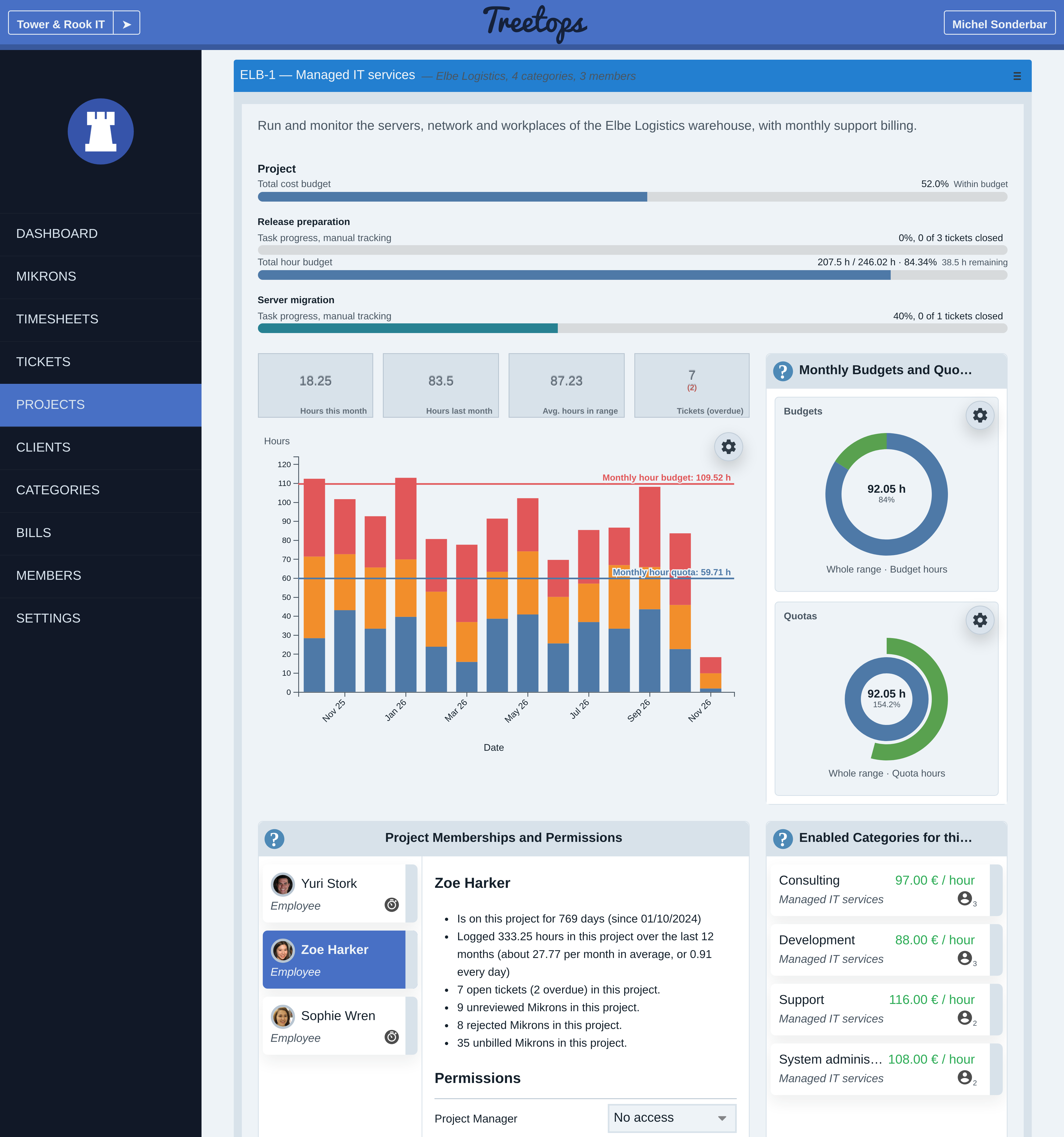
A budget is an upper target; a quota is a lower target. Targets compare hours, costs or gain. Total targets cover project history; monthly targets compare each calendar month.
Targets can cover the project, a task or a category. A task is a work package containing tickets, with its own assignment and progress. Task and category targets stay separate because the same work can count in both. Enter an overall project target separately.
Accountants edit amounts in the client’s selected project. Managers can inspect hour targets and permitted monetary percentages. Project-wide gain uses eligible issued invoice shares and project-linked adjustments. Task or category gain uses recorded work at selling rates.
Target progress compares activity with its target. Task progress measures completion. Tickets and Tasks explains completion tracking.
Work charts and client finances
Project charts show recorded activity over a selected range, including hours by person and category. Total targets appear with task rows. Monthly budgets and quotas have separate comparisons.
Accountants can switch between a client’s combined chart and a selected project. Projected work income values recorded time. Issued invoice income follows issued documents, including open invoices. Result after tax subtracts costs, including shared costs and tax estimates, from net income.
Each project can keep its contract amount, milestones and payments received beside its budgets and quotas. Date ranges, chart styles and net summary cards help inspect the figures. The financial reports guide explains their meaning and dates.
Project workflow and history
Work moves from recording to review and eligible invoicing. Projects can require an active task on new records. Project colours identify drafts in the time-entry calendar.
Tasks and tickets hold assignment, progress and discussion. Explore Tickets and Tasks for that workflow.
Archive a finished project to retain reporting history. The Projects and Clients guide covers setup, task requirements, target interpretation and ending work.
Guides